TryHackMe - Burp Suite: Intruder
Task 2
In which Intruder tab can we define the “Attack type” for our planned attack?
Positions
Task 3
What symbol defines the start and the end of a payload position?
§
Task 4
Which Payload processing rule could we use to add characters at the end of each payload in the set?
Add suffix
Task 5
What attack type cycles through the payloads inserting one payload at a time into each position defined in the request?
Sniper
Task 6
If you were using Sniper to fuzz three parameters in a request with a wordlist containing 100 words, how many requests would Burp Suite need to send to complete the attack?
300
How many sets of payloads will Sniper accept for conducting an attack?
1
Task 7
What would the body parameters of the first request that Burp Suite sends be?
username=admin&password=admin
Task 8
What is the maximum number of payload sets we can load into Intruder in Pitchfork mode?
20
Task 9
How many requests will Intruder make using these payload sets in a Cluster bomb attack?
100*2*30 gives 600 600
Task 10
What username and password combination indicates a successful login attempt? The answer format is “username:password”.
we can capture the login POST request and send it to intruder 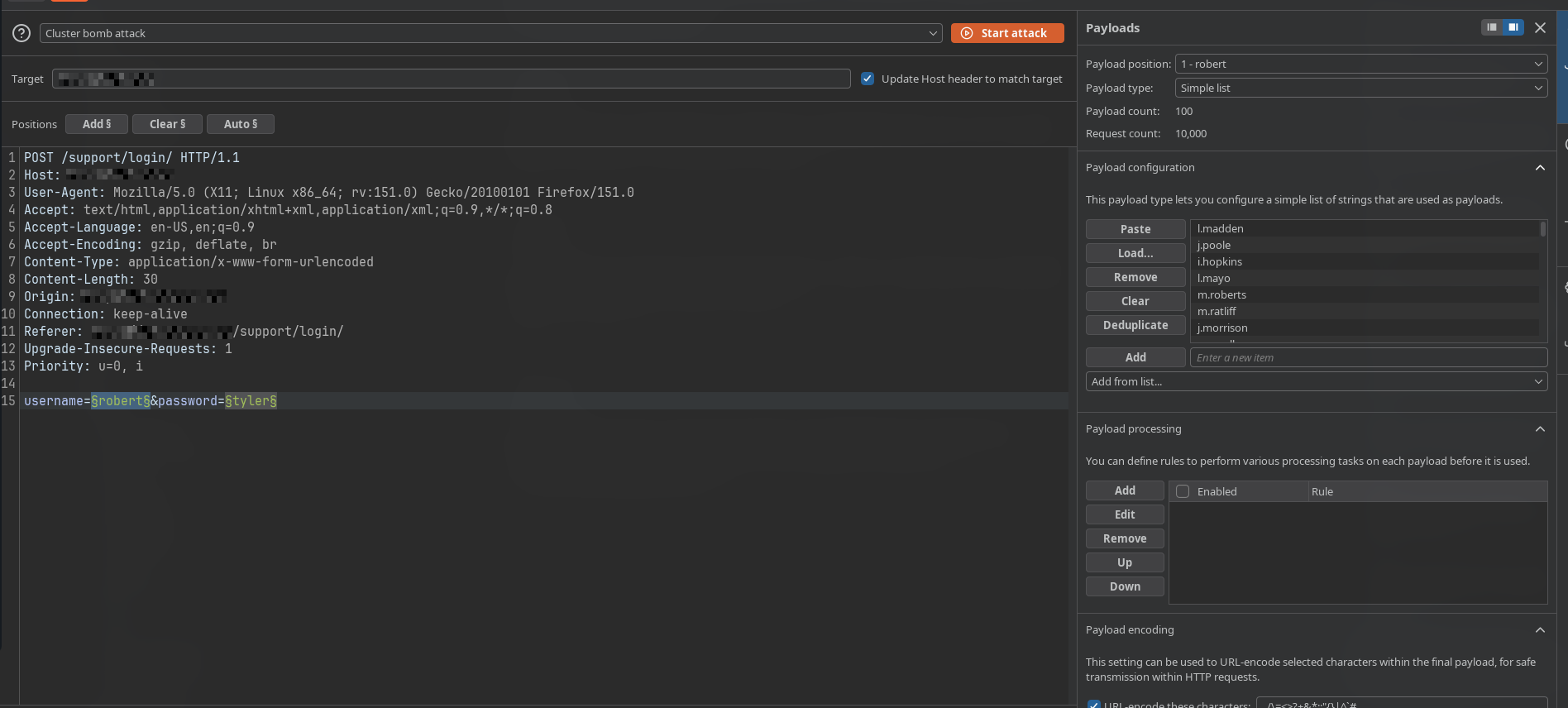
now we set attack type as Cluster Bomb Attack and add positions on username value field and password value field and load the usernames.txt and passwords.txt from http://MACHINE_IP:9999/Credentials/BastionHostingCreds.zip
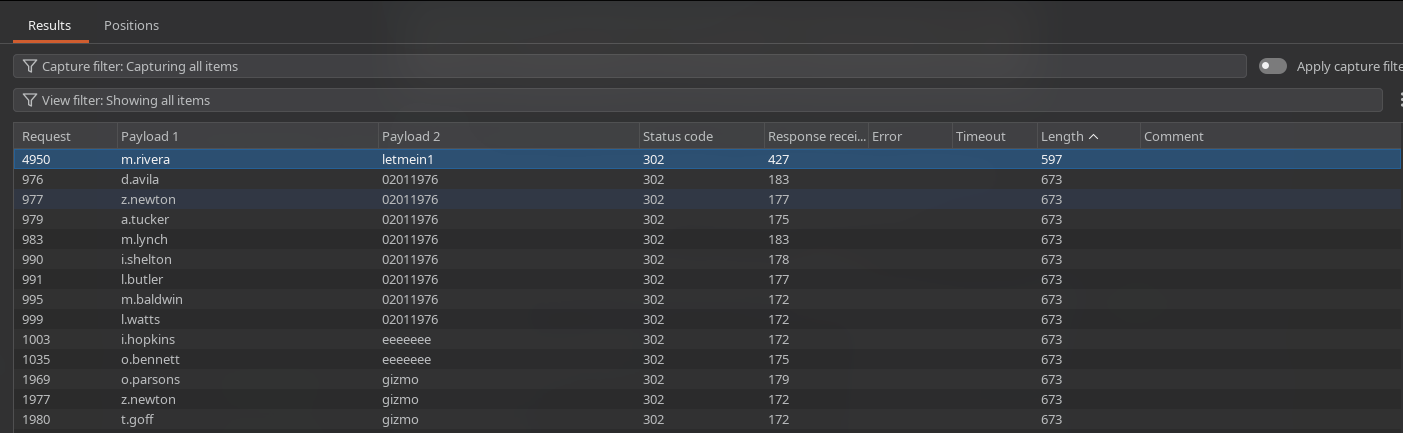
sort by length and we can see a request standing out with a different length than others, logging in with the details m.rivera:letmein1
Task 11
Which attack type is best suited for this task?
Sniper
What is the flag?
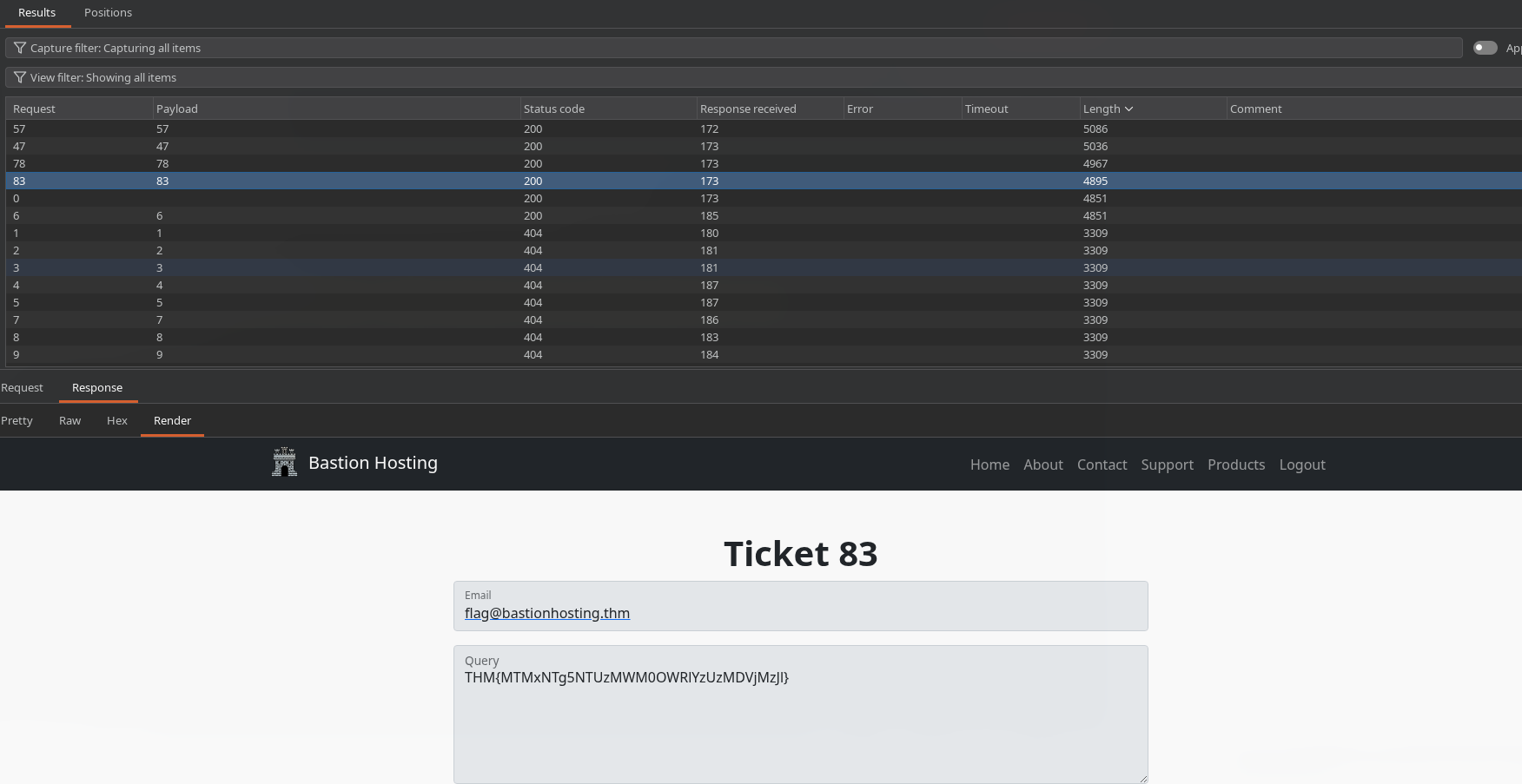 starting the sniper attack from 1..200 we can see the unique requests sorting by length and then ticket
 83 gives us the flag THM{MTMxNTg5NTUzMWM0OWRlYzUzMDVjMzJl}
Task 12
now admin login at /admin/login/ requires a 2 request flow GET (capture session and csrf) -> POST (use the session cookie and use csrf in loginToken POST body) first we create a macro for login request 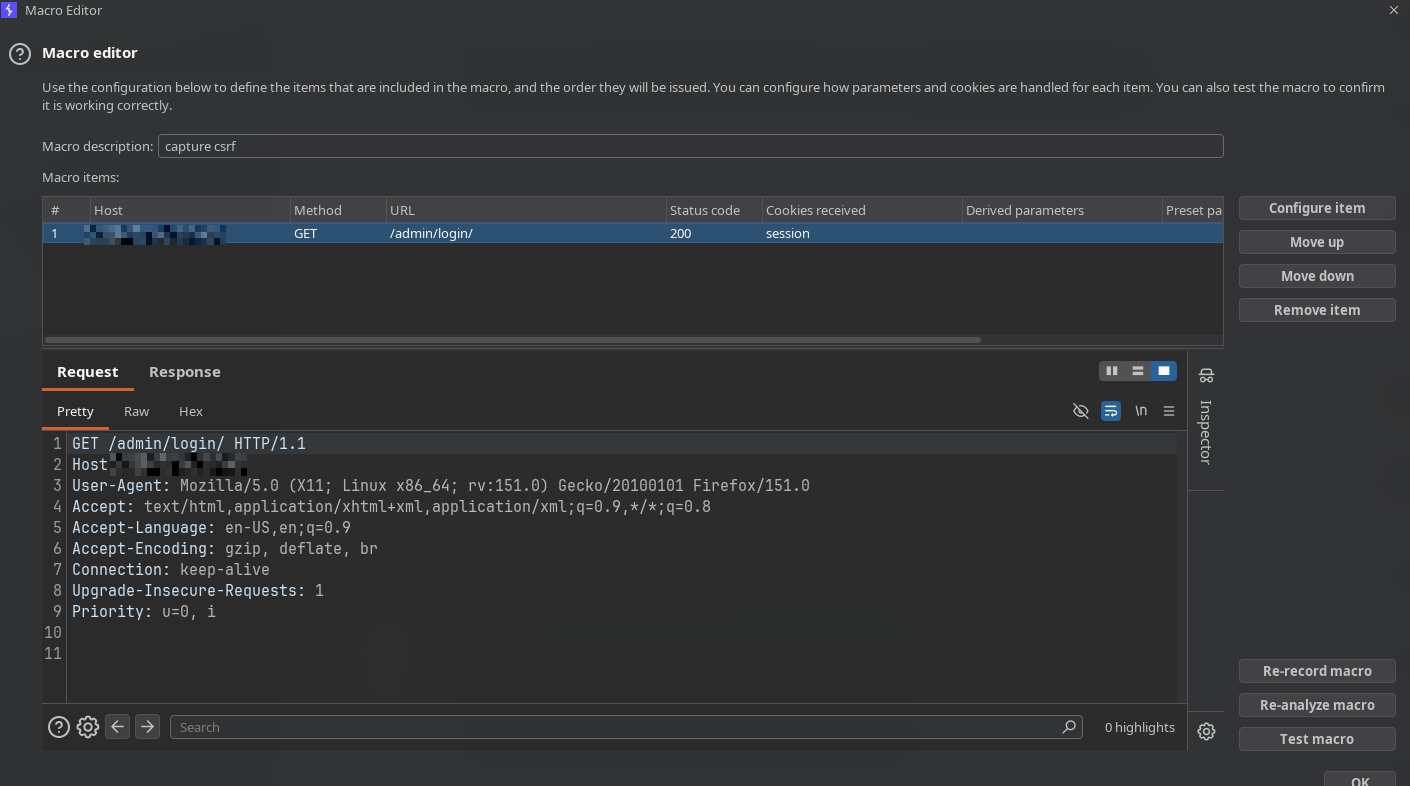
now in the session handling rules we create a rule to run the macro 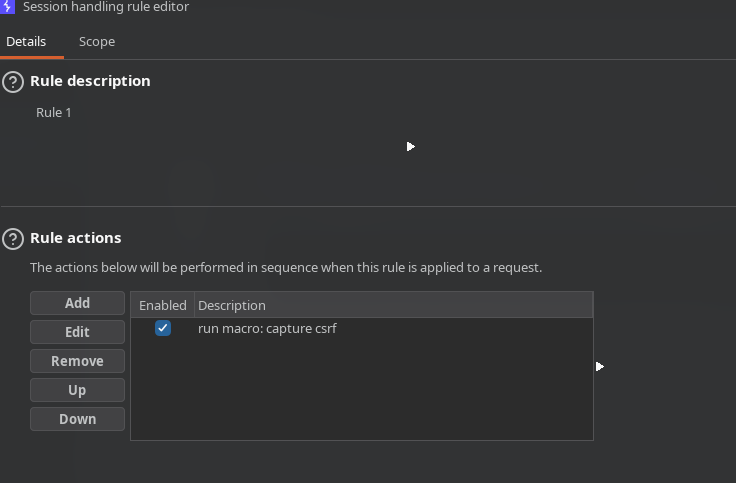 and in scope only select intruder and untick all others in url-scope select
 use suite scope [defined by target tab] (add your target in scope otherwise you can also use Include All URLs) in the rule action we fill the details accordingly as we want session to remain and fetch loginToken 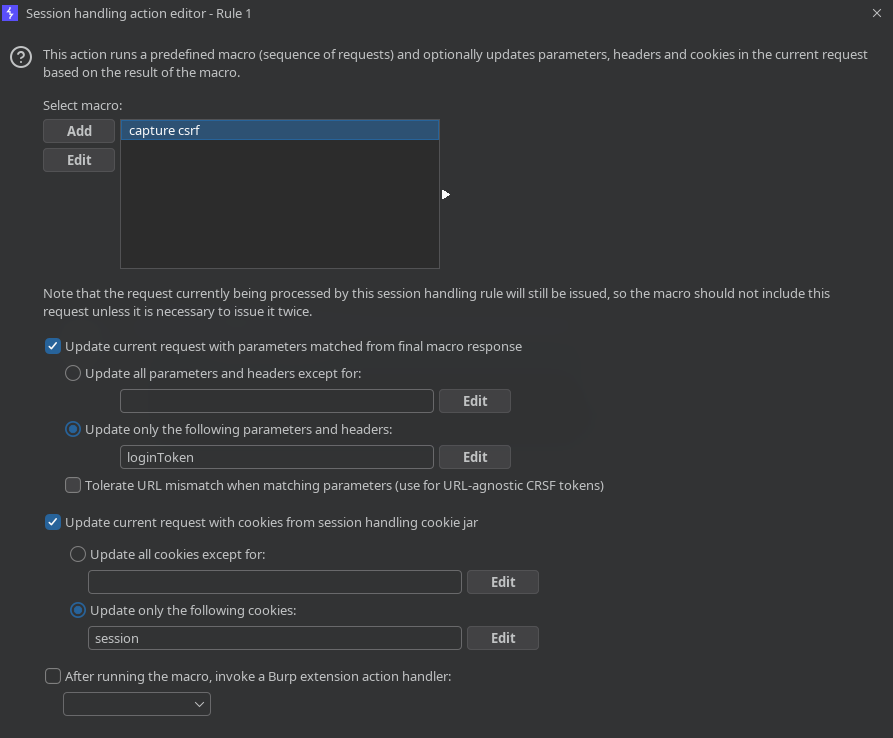
now run the pitch fork attack with the old usernames and password now after the attack is finished, we observe a request standing out compared to others 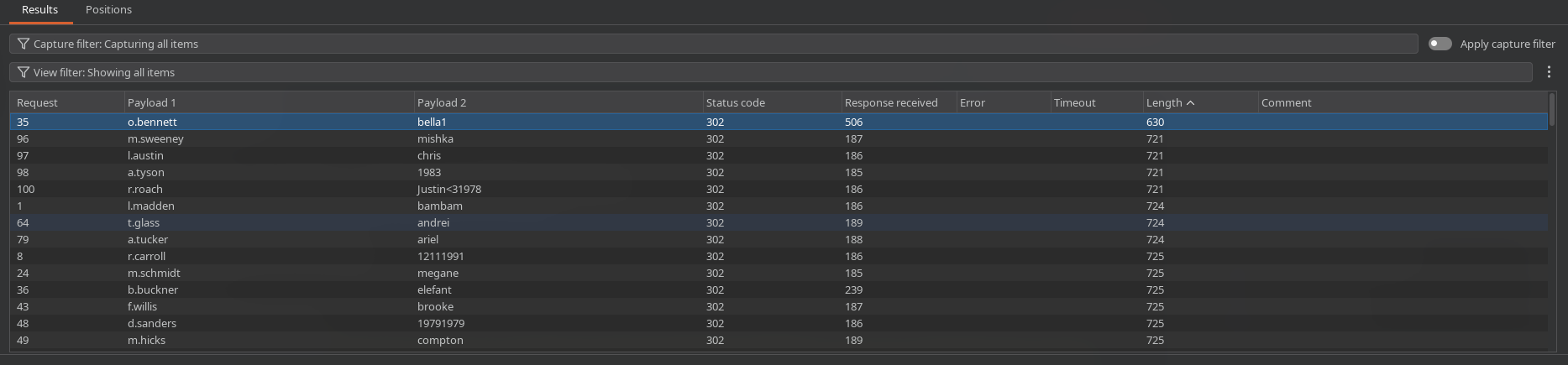 revealing our admin creds
What username and password combination indicates a successful login attempt? The answer format is “username:password”.
o.bennett:bella1